Website Requirements Overview
Carriers review your website before they approve your 10DLC texting program. This guide explains exactly which website pages you need and what each page must show so you can pass manual vetting on the first try.
You’ll use this guide when you’re setting up 10DLC and preparing the URLs you’ll enter in Use Case Registration. Follow these steps to confirm that your Contact Source, Privacy Policy, and Terms & Conditions all meet carrier requirements.
TABLE OF CONTENTS
- Before Getting Started
- What Each Requirement Is (And What It Must Show)
- Types of Messaging: Aligning Contact Source and Terms & Conditions
- Clear Association With Organization Website
- Where These URLs Go in Registration
Before Getting Started
Before continuing, review the guide Use Case Registration - Section: What Is Manual Vetting?
During 10DLC manual vetting, reviewers look for three required website pages. Each page confirms a different part of how your texting program works:
- Contact Source (Opt‑In) Page – Where people share their phone number and agree to receive texts.
- Privacy Policy – Explains how you handle personal data (including phone numbers) and how to opt out of texts.
- Terms & Conditions – Describes the texting program’s rules (what you’ll send, how often, and how people can get help or stop messages).
What Each Requirement Is (And What It Must Show)
Contact Source
A page or form on your website where visitors provide their phone number and consent to receive texts. Reviewers must be able to land directly on the page that collects numbers.
Must include:
- A phone number field (optional if the form serves another purpose like a newsletter signup).
- Opt‑in disclosure placed next to the phone number field that clearly states:
- The user agrees to receive text messages.
- What type of text messages you will send (see “Types of Messaging” below).
- Your organization name.
- Message & data rates may apply.
- Message frequency (e.g., “2–4 msgs/month,” or “Message frequency varies”).
- How to get help (Reply HELP for help).
- How to stop (Reply STOP to unsubscribe).
- Links to your Privacy Policy and Terms & Conditions.
- A clear association with your organization, as provided in the Brand Registration (the page is on your site or clearly linked from it).
Example wording:
| "By providing your phone number, you agree to receive political text messages from [Organization Name]. Message and data rates may apply. Message frequency varies. Reply HELP to request help or STOP to opt out of text messages. Privacy Policy [here] and Terms & Conditions [here]. Text messaging opt-in data and consent will not be sold or shared with third parties or affiliates for their marketing or promotional purposes." |
Use our Opt-In Language Generator to help craft compliant opt-in language for your contact source.
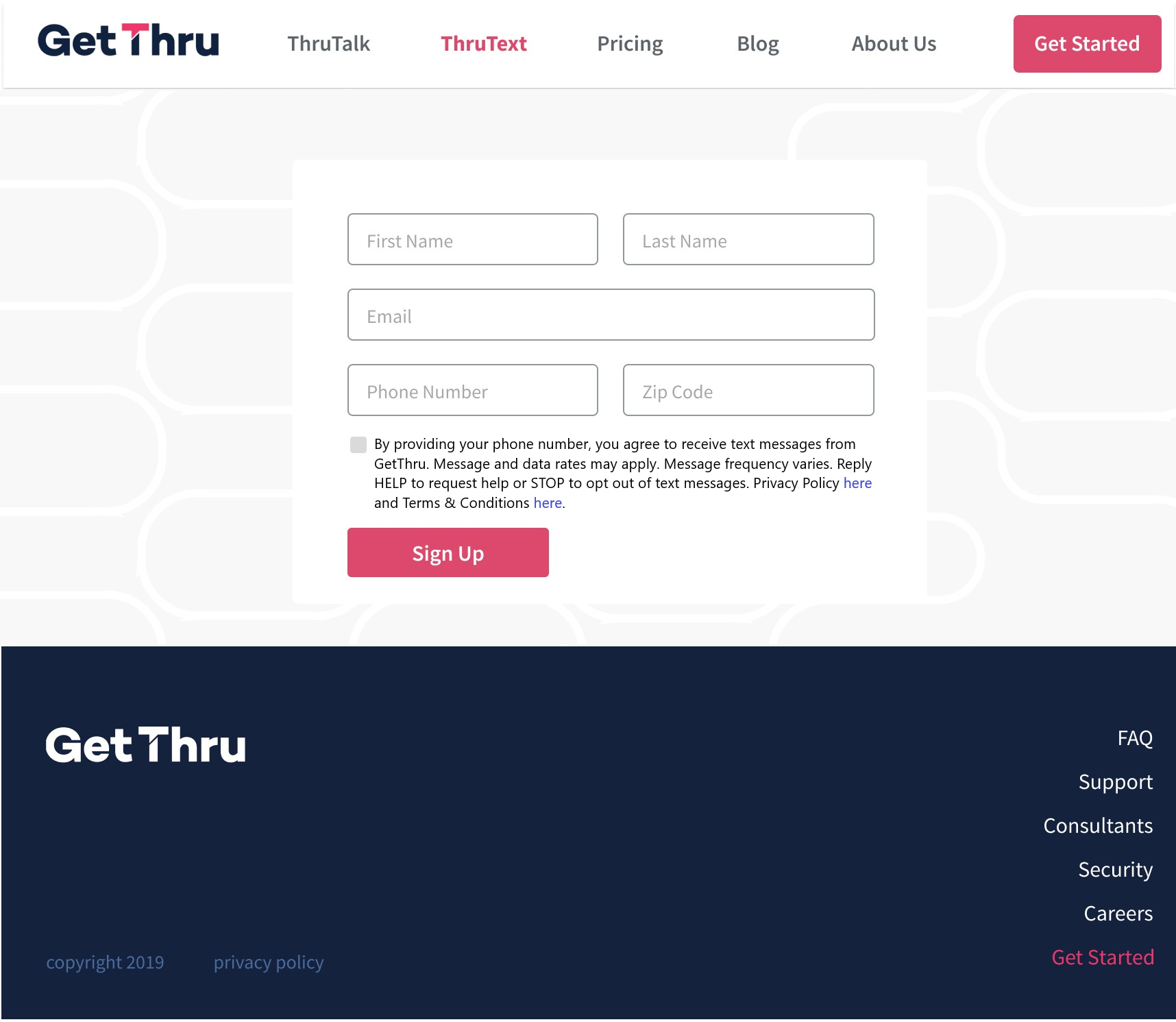
In this example, you can see a form that contains a phone number field with opt-in language directly next to it.
Privacy Policy
A policy page stating how you collect, use, and share data related to texting. Carriers require the sentence below to pass vetting. A comprehensive privacy policy that discloses how your organization may collect, use, and share personal information is recommended.
Must include:
- No Sharing Text Message Data or Consent for Marketing Purposes: Your privacy policy must explicitly state that text messaging opt‑in data and consent will not be sold or shared with third parties or affiliates for their marketing or promotional purposes.
Example wording:
| “Text messaging opt-in data and consent will not be sold or shared with third parties or affiliates for their marketing or promotional purposes.” |
Use our Privacy Policy Generator to help craft a compliant privacy policy for your website.
Terms and Conditions
A program terms page that sets expectations and support details for your texting.
Must include:
- The type/purpose of messages you’ll send (must align with the Contact Source)
- Message frequency statement
- HELP and STOP instructions
- Message & data rates may apply disclosure
- A link to the Privacy Policy
Example wording:
"By signing up for text message updates, you agree to receive political messages from [Organization Name] at the mobile number provided by the user. Message frequency may vary based on your interactions, upcoming events, or important notices from [Organization Name]. Message and data rates may apply. You can request help by responding to a text message with HELP or by emailing [email@example.com]. You can opt out of receiving text messages at any time by replying STOP to any message. See our Privacy Policy [here]" |
Use our Terms & Conditions Generator to help craft compliant terms for your website.
Types of Messaging: Aligning Contact Source and Terms & Conditions
Your Contact Source and T&C must describe the same messaging purpose(s). Inconsistent descriptions are a common reason for rejection.
What Must Be the Same
- Program purpose: Make sure the program purpose matches on both pages. For example, if your Contact Source says “event updates,” your T&C should also describe event-related messaging. If you mention “admissions and campus events” on the Contact Source, list the same in T&C.
- Donation-related language: Only include donation-related messaging where it is allowed by your use case type. If you mention donation-related messaging on one page, mention it in the same way on the other.
Special Use Cases
If you register for the political or charity use case, the message type must specifically align with the use case. No additional messaging types, such as account-related, can be included for these use cases.
- Political: You may send political advocacy messages, and—if you choose—donation‑related messages. State precisely what applies in both places.
- Contact Source example: “You agree to receive political advocacy text messages…” or “political advocacy and donation‑related text messages…”
- T&C must mirror the same wording about political and/or donation‑related messaging.
- Charity: If registered as a charity, state that you'll send donation‑related messages. You may include closely related purposes (such as alumni or student events) if they are consistent with your sample messages. Avoid unrelated messaging types (for example, general account alerts). Ensure that both the Contact Source and Terms and Conditions describe the same set of purposes. Both pages must match.
Clear Association With Organization Website
For all three required pages (Contact Source, Privacy Policy, and Terms & Conditions), the organization shown on the page must match the organization provided in Brand Registration.
- Contact Source: The Contact Source must be accessible from the website listed in Brand Registration, either hosted on that website or linked from it.
- If linked out: If the contact source is located on a third-party website, such as a donation page, the link to the form must be accessible from the organization's main website so that we can describe the path for the manual vetting team.
- Location of Privacy Policy and T&C: These pages are typically on the main website, but they do not have to be. If your Privacy Policy and T&C are on the same page, they must have clear headers/sections. If hosted elsewhere or available as downloadable PDFs, they must still match the organization from Brand Registration and the Contact Source.
Where These URLs Go in Registration
If your website meets all the requirements above, review our guide, Use Case Registration, for the other requirements. When ready, on the Compliance page, insert the required URLs after clicking Start Use Case Registration.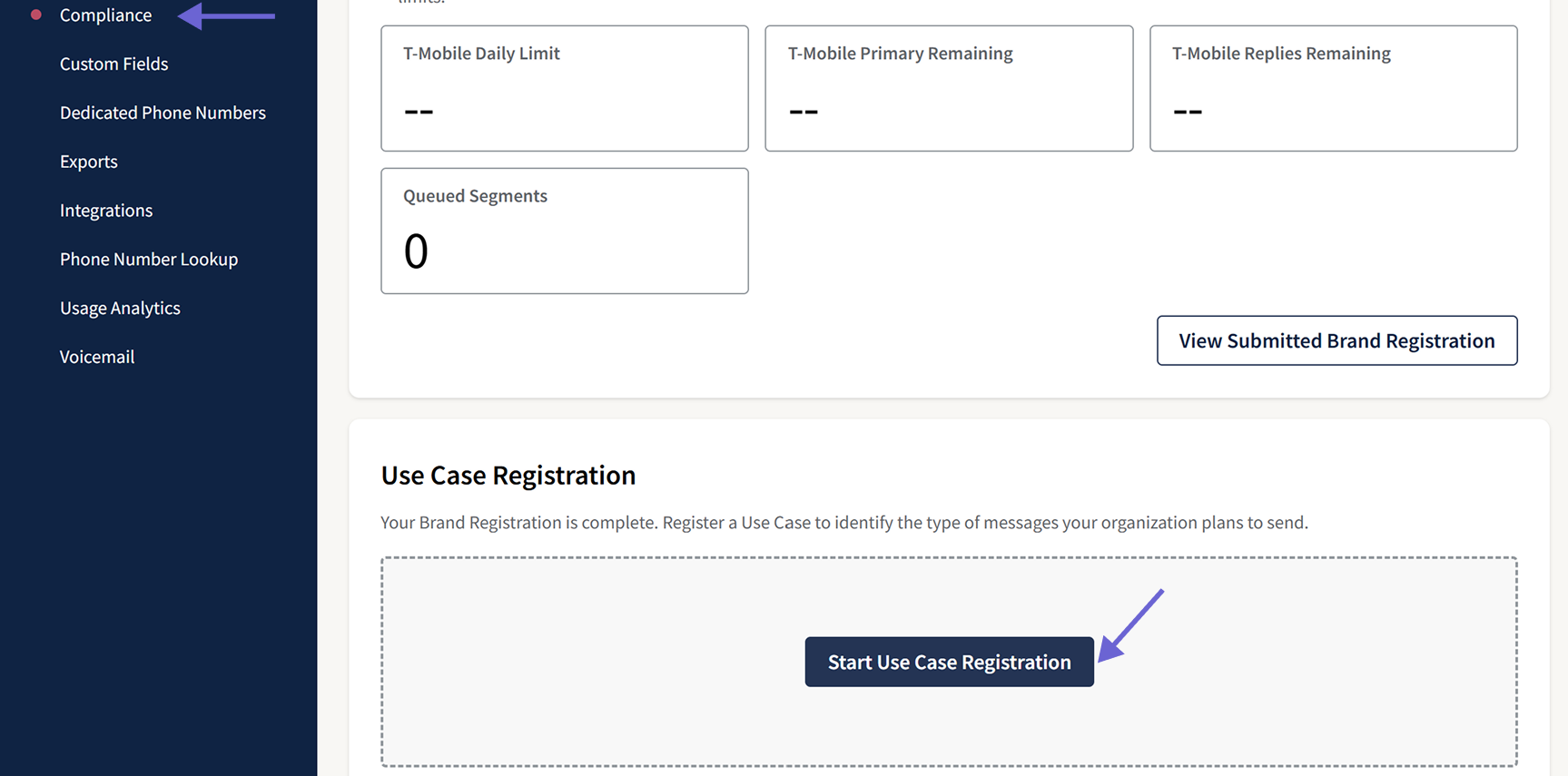
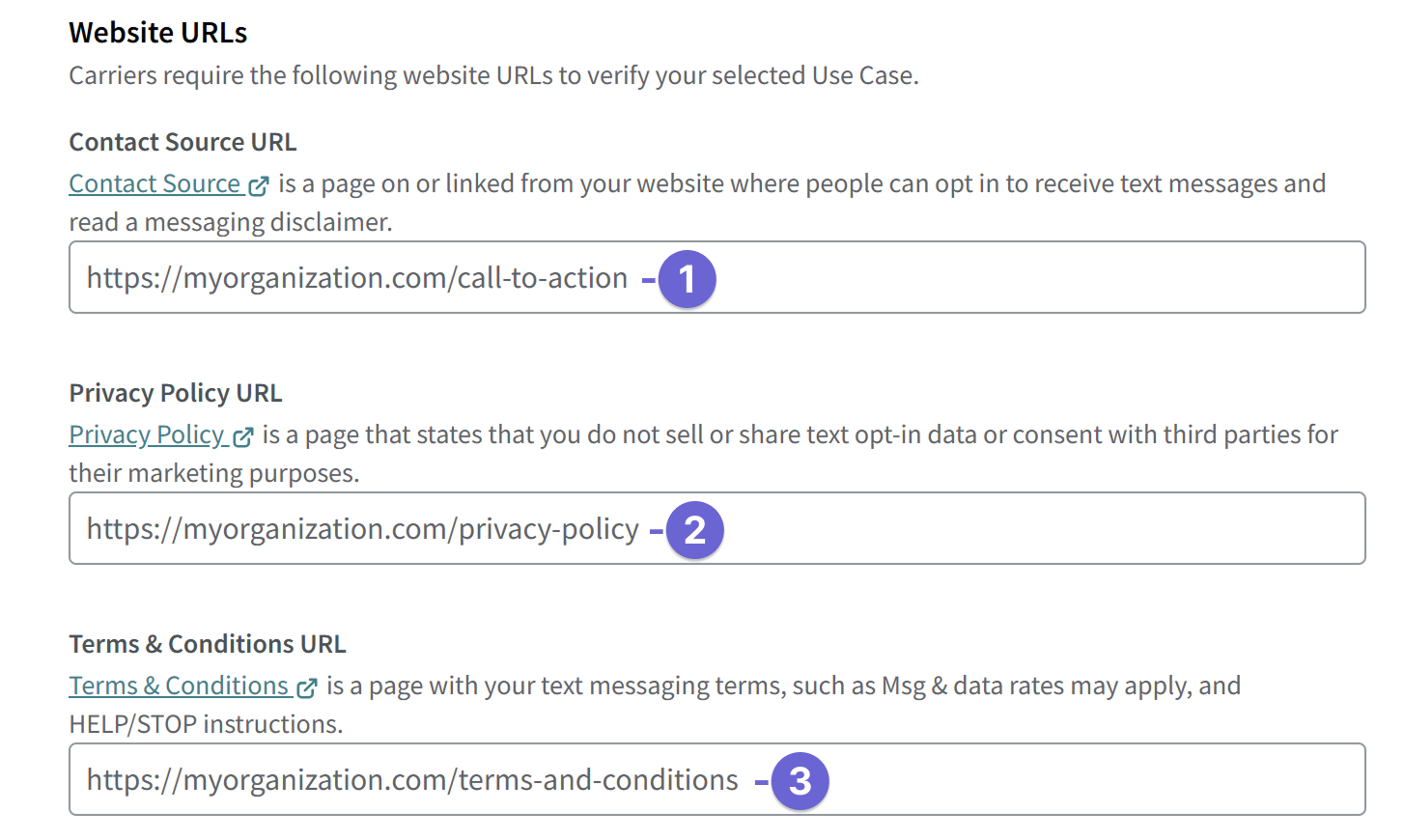
- Contact Source URL: Enter the Contact Source URL in the field.
- Privacy Policy URL: Enter in the Privacy Policy field.
- Terms & Conditions URL: Enter in the Terms & Conditions field.